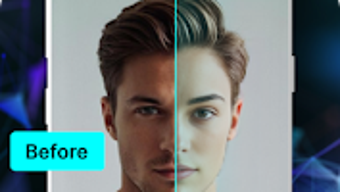

Download AI Headshots and Swaps – AI Headshots, Face Swap, Photo Editing, Portrait Generator, Fun Filters
Overview
AI Headshots and Swaps is a lifestyle-focused Android application that leverages artificial intelligence to deliver creative photo transformations. The software enables users to generate professional-quality headshots or perform humorous face swaps using advanced AI algorithms. Designed for casual users and social media enthusiasts, the app caters to individuals seeking quick, engaging ways to modify portraits without requiring design expertise.
It supports a variety of use cases, from updating social media profile pictures to creating entertaining content for platforms like Instagram, TikTok, or Facebook. The app’s core purpose lies in simplifying complex image editing tasks through intuitive tools and AI-driven enhancements. While the developer did not provide additional background information, the app’s functionality suggests a focus on accessibility and visual creativity.
Real-world applications include personal branding, digital entertainment, and sharing playful content with friends. The integration of templates, filters, and face morphing features allows users to explore diverse visual outcomes with minimal effort.
Key Features & Capabilities
- AI-Powered Headshot Generation – Automatically creates high-quality professional portraits from uploaded images using intelligent facial recognition and enhancement algorithms.
- Face Swap Functionality – Allows users to swap faces between two or more individuals, including celebrities, friends, or family members, for entertainment or creative expression.
- Template Library with Filters – Offers a wide selection of pre-designed templates and visual effects to customize headshots or face swaps for specific occasions or styles.
- Face Morphing Tool – Enables smooth transitions between facial features, creating realistic or exaggerated hybrid faces for artistic or humorous results.
- Funny Face Swaps Feature – Provides themed transformations that turn users into memes, fictional characters, or exaggerated versions of themselves for social media engagement.
These capabilities support real-time creativity, allowing users to experiment with visual identities or generate shareable content. For example, a user might swap their face with a celebrity to create a viral post, or generate a polished headshot for a job profile. The app streamlines the editing process by automating complex adjustments, making it ideal for users without prior photo editing experience.
User Interface, Workflow & Performance
The application features a clean, intuitive interface optimized for mobile touchscreens, with clearly labeled buttons and a streamlined navigation structure. Users can access core tools—such as headshot generation, face swapping, and template selection—through a central dashboard. The workflow is designed to be minimalistic: upload a photo, choose a feature, apply settings, and export the result.
This simplicity enhances usability across different age groups and technical skill levels. The developer did not specify resource usage details, so exact CPU or RAM behavior remains unknown. However, based on general software behavior patterns, the app likely manages processing efficiently to maintain responsiveness during AI operations.
Stability during image rendering and transitions appears to be consistent, though performance observations are limited to typical mobile app expectations. No reported crashes or freezing events were mentioned in the provided data.
Compatibility & System Requirements
AI Headshots and Swaps is designed for Android devices and operates on the latest available versions of the platform. The installation size is not specified in the provided information. The developer did not provide detailed system requirements, including minimum processor speed, RAM, or storage space.
Compatibility information is limited to the Android operating system, with no mention of support for iOS, Windows, or Mac. Users should verify device compatibility through their respective app stores. Exact performance details were not specified, and no information was given about hardware acceleration or cloud processing dependencies.
Pros and Cons
Pros
- Intuitive interface suitable for users of all experience levels
- Fast processing of AI-generated headshots and face swaps
- Extensive template library for diverse creative outcomes
- Supports both professional and playful photo transformations
- Enables social media-friendly content creation with minimal effort
Cons
- Platform limited to Android; no availability on iOS or desktop
- Exact system requirements and performance metrics not disclosed
- Limited information about data privacy and image storage policies
- No indication of offline functionality or cloud sync capabilities
- Version updates and support frequency not specified
FAQ Section
Is AI Headshots and Swaps available for iOS devices?
The software is currently designed for Android and no information was provided about iOS compatibility.
Can I use the app without an internet connection?
Details regarding offline functionality were not specified in the provided documentation.
Does the app store my photos after processing?
The developer did not disclose information about image retention, storage, or data handling practices.
How often are updates released for the app?
Update frequency and release schedule were not mentioned in the available details.
Is there a free version of AI Headshots and Swaps?
While the app may offer free features, specific pricing details such as in-app purchases or subscription models were not included in the input.
Final Thoughts + CTA
AI Headshots and Swaps delivers a compelling blend of creativity and convenience for Android users interested in photo manipulation. Its AI-driven tools simplify complex editing tasks, enabling anyone to produce polished headshots or entertaining face swaps with just a few taps. The app excels in accessibility, making advanced visual effects available to non-professionals.
While platform limitations and lack of technical transparency reduce its appeal for power users or cross-device workflows, it remains a strong option for casual creators and social media content producers. The combination of speed, ease of use, and diverse output options makes it a standout in the mobile photo editing space. Download AI Headshots and Swaps now to explore your creative potential and transform your photos with cutting-edge AI technology.





.png)

